
SELinux on Fedora: modes, contexts, booleans and troubleshooting
Fedora is the distribution that ships SELinux enforcing by default. It is not “an extra security plugin” but a second layer on top of permission bits: even as root, an action the policy forbids is refused.
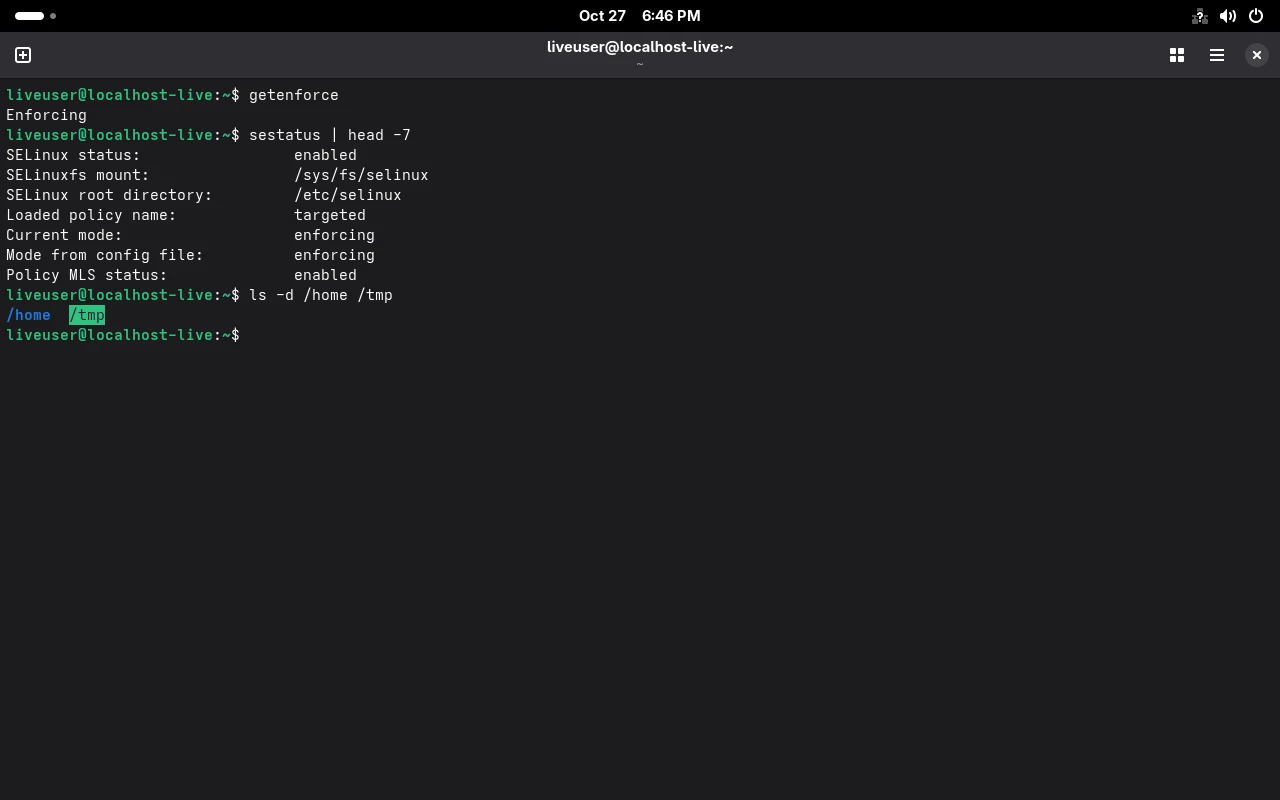
Below is the measured state on F45.
What state is it in
Section titled “What state is it in”getenforcesestatusEnforcing
SELinux status: enabledSELinuxfs mount: /sys/fs/selinuxSELinux root directory: /etc/selinuxLoaded policy name: targetedCurrent mode: enforcingMode from config file: enforcingPolicy MLS status: enabledPolicy deny_unknown status: allowedMemory protection checking: actual (secure)Max kernel policy version: 35Three fields are worth remembering:
| Field | Meaning | When to look |
|---|---|---|
Loaded policy name | targeted, constraining only specific processes | to tell whether it is a full policy |
Current mode | runtime mode | first thing to check when debugging |
Mode from config file | configured mode | a mismatch means someone toggled it |
Modes: three values, not two
Section titled “Modes: three values, not two”cat /etc/selinux/config | grep -E "^SELINUX="SELINUX=enforcing- enforcing: the policy is enforced, violations are refused;
- permissive: log only, no blocking — for confirming “was it SELinux”;
- disabled: policy not loaded at all, needs a reboot and a relabel; the most expensive choice.
sudo setenforce 0 # switch to permissive until rebootgetenforce # Permissivesudo setenforce 1 # back to enforcingFile contexts: the extra label
Section titled “File contexts: the extra label”ls -Zd /home /root /tmp /usr/bin/passwd system_u:object_r:home_root_t:s0 /home system_u:object_r:admin_home_t:s0 /root system_u:object_r:tmp_t:s0 /tmpsystem_u:object_r:passwd_exec_t:s0 /usr/bin/passwdOf the four fields user:role:type:level, what actually matters is the third, type.
The classic trap: move a file elsewhere and the type does not follow, so the service fails to start.
sudo restorecon -Rv /var/www # restore default labels from policysudo chcon -t httpd_sys_content_t /srv/site/index.html # temporary, not persistentsudo semanage fcontext -a -t httpd_sys_content_t '/srv/site(/.*)?' # persistent rulesudo restorecon -Rv /srv/sitePorts and booleans: allow things without writing policy
Section titled “Ports and booleans: allow things without writing policy”Ports — when a service needs a non-standard port, first see what the policy allows:
sudo semanage port -l | grep -E "^http_port_t|^ssh_port_t"http_port_t tcp 80, 81, 443, 488, 8008, 8009, 8443, 9000To let httpd listen on 8080, add the port first:
sudo semanage port -a -t http_port_t -p tcp 8080Booleans — built-in switches in the policy, much cheaper than writing custom policy:
sudo semanage boolean -l | grep httpd_can_network_connecthttpd_can_network_connect (off , off) Allow httpd to can network connectThe two values are “current / boot default”. Turn it on persistently:
sudo setsebool -P httpd_can_network_connect ongetsebool httpd_can_network_connecthttpd_can_network_connect --> on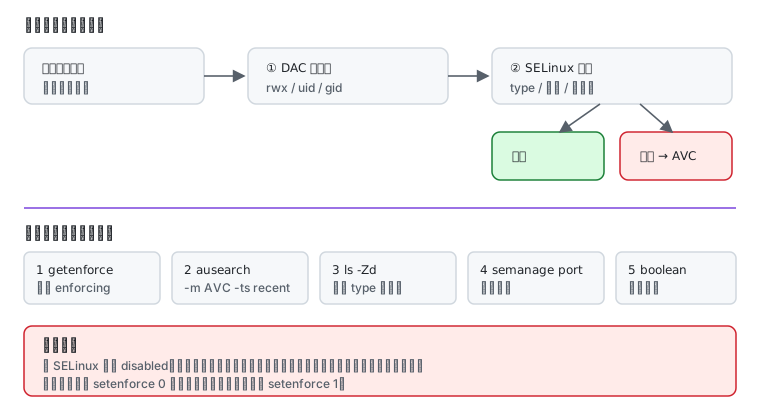
Troubleshooting order
Section titled “Troubleshooting order”getenforce # 1) is it enforcingsudo ausearch -m AVC -ts recent # 2) any denialsls -Zd <path> # 3) are the labels rightsudo semanage port -l | grep <port> # 4) port typesudo semanage boolean -l | grep <term> # 5) is there a switchausearch printing <no matches> has two meanings: genuinely no denial, or auditd is not running. Confirm the latter:
systemctl status auditd --no-pagerWhen you should not turn it off
Section titled “When you should not turn it off”Disabling SELinux makes the problem go away immediately, and you lose:
- the enforced isolation between containers and the host (mentioned repeatedly in containers);
- the lateral limits after a service is compromised;
- the only source of evidence when something breaks.
The correct order is: switch to permissive to confirm it is SELinux, fix it with the five steps above, switch back to enforcing. Treating disabled as the default answer turns one problem into three.
Related pages
Section titled “Related pages”- Users and permissions — wheel and sudo
- SSH service and keys — remote login
- Fedora containers and rootless — SELinux and container volumes
- Error lookup —
chcon: failed to change context,ausearch: <no matches> - Storage and filesystems — btrfs subvolumes and mounts
- Cheat sheet — SELinux commands
- Official: Changing SELinux states and modes