
Python on Fedora: venv, pipx, uv and domestic mirrors
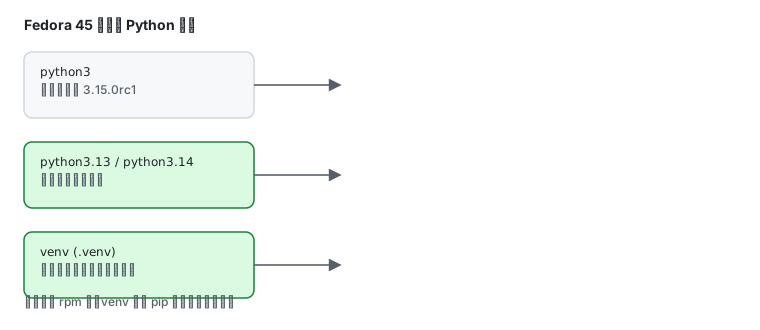
python3 -Vrpm -q python3Python 3.15.0rc1python3-3.15.0~rc1-1.fc45.x86_64Fedora’s Python lives in /usr and sys.prefix is /usr — it is a system component, and dnf itself depends on it.
One iron rule
Section titled “One iron rule”Never run sudo pip install. Not out of taste:
- it writes into
/usr/lib/python3.15/site-packages, mixing with rpm-managed files dnf upgrademay overwrite or fail on the conflict- it damages the system toolchain itself (dnf5 is written in Python)
Use one of the three isolation layers below instead.
Layer 1: venv (per-project dependencies)
Section titled “Layer 1: venv (per-project dependencies)”mkdir -p ~/proj && cd ~/projpython3 -m venv .venvsource .venv/bin/activatepip install requestswhich python/home/labuser/proj/.venv/bin/pythonLeave with deactivate.
venv isolates packages only; the interpreter is still the system 3.15. That covers most projects.
Pointing pip at a domestic mirror
Section titled “Pointing pip at a domestic mirror”Configuration precedence: project pip.conf < user ~/.config/pip/pip.conf < global /etc/pip.conf.
mkdir -p ~/.config/pipcat > ~/.config/pip/pip.conf <<'EOF'[global]index-url = https://pypi.tuna.tsinghua.edu.cn/simpleEOFVerify:
pip config listglobal.index-url='https://pypi.tuna.tsinghua.edu.cn/simple'For a one-off, use -i:
pip install -i https://pypi.tuna.tsinghua.edu.cn/simple requestsWhether the mirror is actually faster depends on your link; see domestic mirrors for how to measure.
Layer 2: pipx (CLI tools)
Section titled “Layer 2: pipx (CLI tools)”Some packages are applications, not libraries (black, httpie, ansible). They need their own environment or they fight with project dependencies:
sudo dnf install pipxpipx ensurepathpipx install blackblack --versionpipx list shows each tool’s isolated environment; pipx upgrade-all upgrades them together.
Layer 3: uv (a different interpreter)
Section titled “Layer 3: uv (a different interpreter)”Fedora’s default is one Python (python3 = 3.15.0rc1), but the repo does ship versioned packages. Measured:
sudo dnf install python3.13 python3.14python3.13 --version # Python 3.13.15python3.14 --version # Python 3.14.7python3 --version # Python 3.15.0rc1All three coexist under /usr/bin/. See multiple versions for the full matrix.
For anything older (3.12 and earlier), or when you need more control:
curl -LsSf https://astral.sh/uv/install.sh | shuv python install 3.12uv python listuv venv --python 3.12uv manages interpreter downloads in its own cache and never touches the system Python. pyenv works too:
curl https://pyenv.run | bashpyenv install 3.12.7pyenv global 3.12.7Choosing between them
Section titled “Choosing between them”| Need | Use |
|---|---|
| project dependencies | venv |
| CLI tools (black/httpie/ansible) | pipx |
| another interpreter version | uv or pyenv |
| a fully separate system | containers (see containers) |
| pinned versions in CI | container images |
Common traps
Section titled “Common traps”| Symptom | Cause |
|---|---|
pip: command not found | pip not installed; use python3 -m pip or dnf install python3-pip |
error: externally-managed-environment | Fedora blocking writes to system site-packages — exactly why venv exists |
ModuleNotFoundError for something you installed | installed into another interpreter or venv; check which python |
| commands missing inside a venv | forgot source .venv/bin/activate |
| system tools report Python errors | a past sudo pip polluted system packages; check with rpm -V python3-libs |
Related pages
Section titled “Related pages”- Multiple versions — python3.13/3.14 parallel packages and the policy per package
- Domestic mirrors — pip mirrors with measurements
- Containers and rootless — full isolation
- Toolchain and multiple versions — the overall strategy
- Official: Python