
Running Valkey 9.1 on Fedora: install, start, connect, and how it relates to Redis
On Fedora, the Redis-style service you install is Valkey.
dnf list --available redisThere is no redis package. What the repositories offer is:
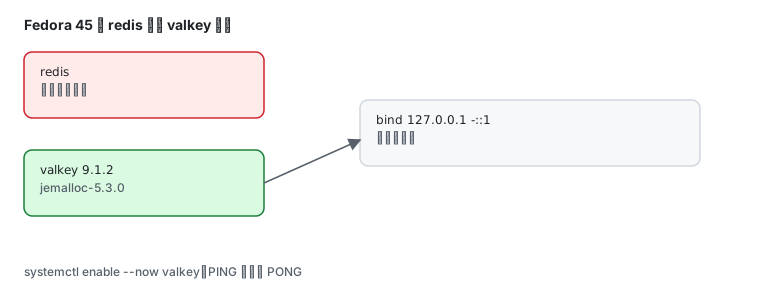
dnf list --available valkeyvalkey.x86_64 9.1.2-1.fc45 fedoraValkey is the community fork that took over after Redis 7.2 (under the Linux Foundation), and Fedora made it the default in-memory database.
Install and start
Section titled “Install and start”sudo dnf install valkeySmall package: 1.9 MiB download, 6.6 MiB installed.
Two service units arrive, and neither starts by default:
systemctl list-unit-files | grep -i valkeyvalkey-sentinel.service disabled disabledvalkey.service disabled disabledvalkey.service is the single-node server; valkey-sentinel.service is the high-availability sentinel. Start the main one:
sudo systemctl enable --now valkeysystemctl is-active valkeyvalkey-cli pingactivePONGPONG means it is alive.
Version and build details
Section titled “Version and build details”valkey-server --versionValkey server v=9.1.2 sha=00000000:0 malloc=jemalloc-5.3.0 bits=64 build=fa6c1330cfae654dWorth reading:
jemalloc-5.3.0— Valkey uses jemalloc instead of glibc malloc, one reason its memory fragmentation behaviour is goodbits=64— a 64-bit buildsha=00000000:0— build metadata stripped by packaging, not an error
Loopback only by default
Section titled “Loopback only by default”ss -lntp | grep 6379LISTEN 0 511 127.0.0.1:6379 0.0.0.0:*LISTEN 0 511 [::1]:6379 [::]:*Or ask the server itself:
valkey-cli config get bindbind127.0.0.1 -::1127.0.0.1 plus the IPv6 loopback — unreachable from outside. That is Fedora’s default policy: a database should not be exposed by accident.
To serve other hosts, edit /etc/valkey/valkey.conf:
bind 0.0.0.0 -::protected-mode yesThen sudo systemctl restart valkey.
Basic reads and writes
Section titled “Basic reads and writes”valkey-cli set demo "hello fedora"valkey-cli get demoOKhello fedoraInspect the keyspace:
valkey-cli info keyspace# Keyspacedb0:keys=1,expires=0,avg_ttl=0,keys_with_volatile_items=0db0:keys=1 is one key; expires=0 means no TTL set.
Where the config lives
Section titled “Where the config lives”rpm -ql valkey | grep '\.conf$'/etc/valkey/sentinel.conf/etc/valkey/valkey.conf/usr/lib/sysusers.d/valkey.confThe main file is /etc/valkey/valkey.conf — not the Redis-era /etc/redis/redis.conf.
Scripts that still call redis commands
Section titled “Scripts that still call redis commands”There is no redis package, but there is a compatibility one:
dnf list --available 'valkey-compat*'valkey-compat-redis.noarch 9.1.2-1.fc45 fedoraInstall it and scripts calling redis-cli / redis-server keep working, executing Valkey underneath.
| Legacy command | Actually runs |
|---|---|
redis-cli | valkey-cli |
redis-server | valkey-server |
redis-sentinel | valkey-sentinel |
Migrating from Redis
Section titled “Migrating from Redis”| Item | Note |
|---|---|
| config path | /etc/redis/redis.conf → /etc/valkey/valkey.conf |
| service name | redis.service → valkey.service |
| data directory | check dir, do not point the new service at an empty path |
| persistence files | RDB/AOF formats compatible; dump.rdb can be moved over |
| auth | no password by default — add requirepass after migrating |
| clients | protocol compatible, no library changes |
Common traps
Section titled “Common traps”| Symptom | Cause |
|---|---|
valkey-cli cannot connect | service not started; systemctl start valkey |
| remote 6379 times out | default bind is 127.0.0.1; change bind |
no redis-cli even with valkey installed | install valkey-compat-redis |
| data gone after restart | persistence off; check save and appendonly |
| memory climbs until the box dies | no maxmemory set; Valkey does not throttle itself |
Related pages
Section titled “Related pages”- Fedora as a server — service basics
- firewalld — opening 6379 correctly
- SELinux — labels when moving the data directory
- Official: Valkey documentation