
dnf module streams: Fedora 45 has no modules left
If you find a tutorial about dnf module enable nodejs:20, it will fail on Fedora 45 — not because the command is wrong, but because Fedora no longer has module streams.
The conclusion first, then the background.
Measured: F45 has no modules at all
Section titled “Measured: F45 has no modules at all”sudo dnf module listUpdating and loading repositories: Fedora 45 - x86_64 - Updates 100% | 33.0 KiB/s | 6.0 KiB | 00m00s Fedora 45 - x86_64 100% | 143.5 KiB/s | 27.4 KiB | 00m00sRepositories loaded.No matches found: no module streams exist.no module streams exist does not mean “you did not enable one” — it means the repositories carry no module metadata at all.
Try a common one:
sudo dnf module enable nodejs:20No match for argument: nodejs:20You can try to add to command line: --skip-unavailable to skip unavailable packages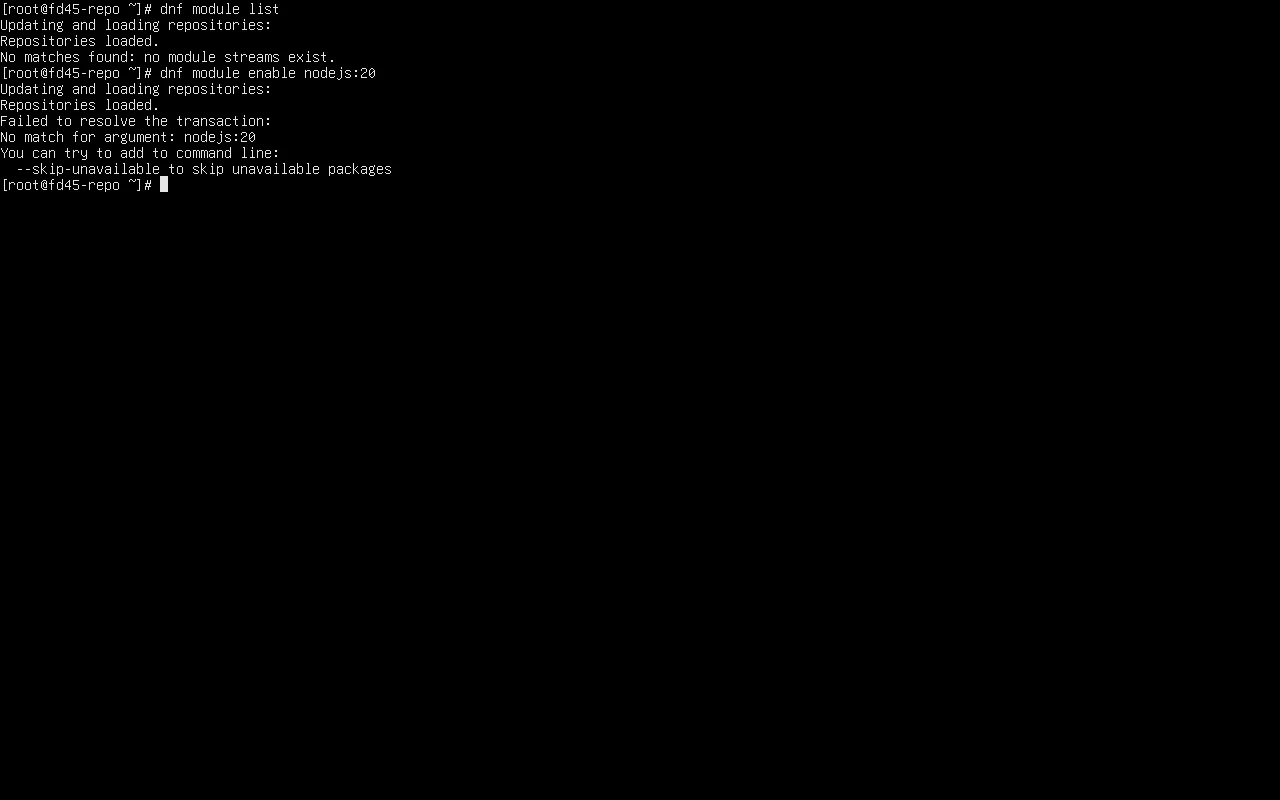
dnf5 still has module subcommands, but only five
Section titled “dnf5 still has module subcommands, but only five”dnf module --helpQuery Commands: list List module streams info List module streamsStream Management Commands: enable Enable module streams and make their packages available. reset Reset module state so it's no longer enabled or disabled. disable Disable modules including all their streams.Compare the dnf4-era favourite:
dnf module install nodejsUnknown argument "install" for command "module". Add "--help" for more information about the arguments.dnf5 has no module install — none of dnf4’s module install / remove / update / switch-to survive. Only enable, reset and disable remain, so old scripts do not fail on syntax alone, even though there is nothing to operate on.
What module streams were for
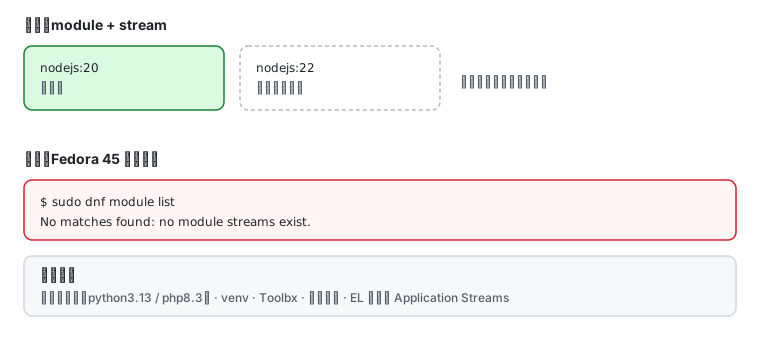
Section titled “What module streams were for”In one sentence: several version lines of the same software inside one distribution.
| Concept | Meaning | Example |
|---|---|---|
| module | a group of packages | nodejs |
| stream | one version line | nodejs:20, nodejs:22 |
| profile | an install subset | nodejs:20/minimal |
| default | the stream enabled by default | which line you get without a version |
It was meant to solve “the system wants Python 3.12, my project wants 3.11” — but only one stream can be enabled at a time, which is the fundamental limitation.
What to use instead
Section titled “What to use instead”After dropping modules, version selection goes back to simpler mechanisms:
| Need | How to do it now |
|---|---|
| another language version | use the packaged one, isolate per project with venv / Toolbx / containers (see toolchain) |
| several versions side by side | install versioned package names such as python3.13, php8.3 |
| the newest upstream | your own repository or a container image — do not touch system packages |
| EL-style stability | CentOS Stream / RHEL, where module streams still exist |
dnf search python3.1 # look for versioned package namesdnf search php8 # PHP follows the same patternThe key difference: module streams switch the one version in the system; versioned package names let several coexist. The latter suits development environments better.
Migration checklist
Section titled “Migration checklist”Coming from an older system or older docs, align on these four points:
- Does
dnf module listreturn anything — if there are no modules, stop looking; - Does any script call
dnf module install— change it todnf install <pkg>; - Does anything call
dnf module enable nodejs:xx— install a versioned package instead, or use a container; - Is there a
/etc/dnf/modules.d/— usually absent on F45; leftover.modulefiles can be removed.
ls /etc/dnf/modules.d/ 2>/dev/null || echo "no module state"Why it went away
Section titled “Why it went away”Module streams were always contested in Fedora: they complicated repository metadata, made “which version did I get” opaque, and duplicated ground already covered by containers. Fedora progressively moved content back to plain packages and finally emptied it out.
The effect is less complexity: dnf install means the newest, and rpm -q tells you what you have — no need to ask “which stream is enabled”.
Related pages
Section titled “Related pages”- Fedora repositories and dnf5 — repository configuration and package management
- Moving from dnf to dnf5 — every subcommand-level difference
- Fedora toolchain and multiple versions — the right way to have several versions
- Version matrix — F43/F44/F45 components side by side
- Error lookup —
No match for argumentand friends - Official: Fedora modularity documentation (historical)