
Installing Go on Fedora: 1.27 and a domestic module proxy
sudo dnf install golanggo versiongo version go1.27.1-X:nodwarf5 linux/amd64X:nodwarf5 is Fedora’s build tag (DWARF stripped to cut package size); the compiler matches upstream 1.27.1.
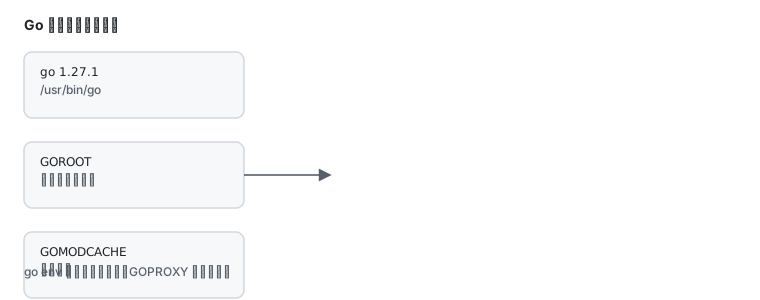
Where the environment lives
Section titled “Where the environment lives”go env GOPATH GOMODCACHE GOPROXYGOPATH: workspace,~/goby defaultGOMODCACHE: module cache,~/go/pkg/modGOPROXY: module proxy,https://proxy.golang.org,direct
proxy.golang.org frequently times out here. Replace it:
go env -w GOPROXY=https://goproxy.cn,directdirect is the fallback for modules the proxy lacks. Verify:
go env GOPROXYhttps://goproxy.cn,directgo env -w writes ~/.config/go/env, not a shell variable, so it survives new terminals.
First program
Section titled “First program”mkdir -p ~/hello && cd ~/hellogo mod init example.com/hellocat > main.go <<'EOF'package main
import "fmt"
func main() { fmt.Println("hello from Go")}EOFgo run main.gohello from GoBuild a binary:
go build -o hello ../helloInstalling CLI tools
Section titled “Installing CLI tools”go install golang.org/x/tools/cmd/goimports@latestBinaries land in $GOPATH/bin (~/go/bin), which is not on PATH by default:
echo 'export PATH=$PATH:$HOME/go/bin' >> ~/.bashrcsource ~/.bashrcRepository version versus upstream
Section titled “Repository version versus upstream”| Situation | Choice |
|---|---|
| learning, building existing projects, CI | dnf install golang is enough; upgrades follow Fedora |
| an exact patch release (1.26.3) | upstream tarball or go install golang.org/dl/go1.26.3@latest |
| several versions | upstream tarballs in separate directories, switch via PATH |
Upstream:
cd /usr/localsudo curl -LO https://go.dev/dl/go1.27.1.linux-amd64.tar.gzsudo tar xzf go1.27.1.linux-amd64.tar.gzexport PATH=/usr/local/go/bin:$PATHgo versionCommon traps
Section titled “Common traps”| Symptom | Cause |
|---|---|
go: cannot find main module | not inside a module; run go mod init first |
| module downloads hang | GOPROXY still points at the official proxy |
binary missing after go install | ~/go/bin not on PATH |
permission denied while building | building inside /usr; work in your home directory |
| conflict with the repository build | two go binaries on PATH; check which -a go |
Related pages
Section titled “Related pages”- Domestic mirrors — GOPROXY and other ecosystems
- Containers and rootless — pinning a Go version
- Toolchain and multiple versions — the overall strategy
- Installing Rust — the other compiled toolchain
- Official: Go