
Storage on Fedora: btrfs subvolumes, mounts and capacity checks
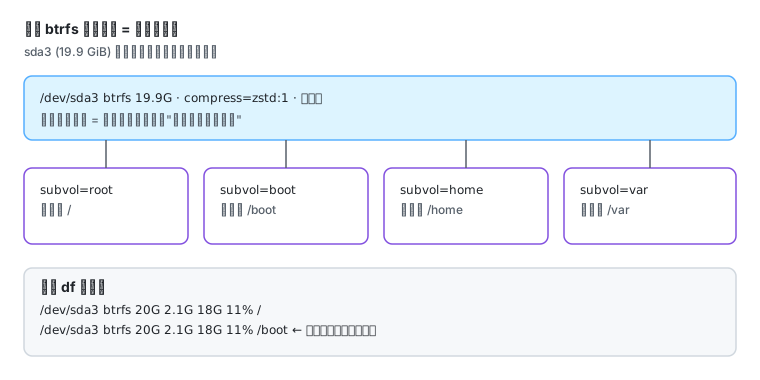
Fedora’s default install has not been “one ext4 root partition” for a long time. The F45 Cloud image measured here is btrfs with zstd compression and four subvolumes. Without that model, df output never looks right.
The measured layout
Section titled “The measured layout”lsblk -o NAME,SIZE,FSTYPE,MOUNTPOINTSNAME SIZE FSTYPE MOUNTPOINTSsda 20G├─sda1 2M├─sda2 100M vfat /boot/efi└─sda3 19.9G btrfs /var /home /boot /The four matching lines in /etc/fstab:
grep -vE "^#|^$" /etc/fstabUUID=d04d5cb8-... / btrfs compress=zstd:1,defaults,subvol=root 0 1UUID=d04d5cb8-... /boot btrfs compress=zstd:1,subvol=boot 0 0UUID=d04d5cb8-... /home btrfs compress=zstd:1,subvol=home 0 0UUID=d04d5cb8-... /var btrfs compress=zstd:1,subvol=var 0 0Three things to take away:
| What you see | What it means |
|---|---|
| the same UUID mounted four times | not four partitions but four subvolumes of one filesystem |
subvol= | the subvolume name, not a path |
compress=zstd:1 | transparent compression, applied on write, undone on read |
Why df looks wrong
Section titled “Why df looks wrong”df -hT / /bootFilesystem Type Size Used Avail Use% Mounted on/dev/sda3 btrfs 20G 2.1G 18G 11% //dev/sda3 btrfs 20G 2.1G 18G 11% /bootbtrfs subvolumes share one space pool, so every row reports the whole filesystem. Filling /var fills the disk; there is no “this subvolume still has room”.
df also estimates Avail on btrfs. For a better view:
sudo btrfs filesystem usage /sudo btrfs subvolume list /ID 256 gen ... path rootID 257 gen ... path bootID 258 gen ... path homeID 259 gen ... path var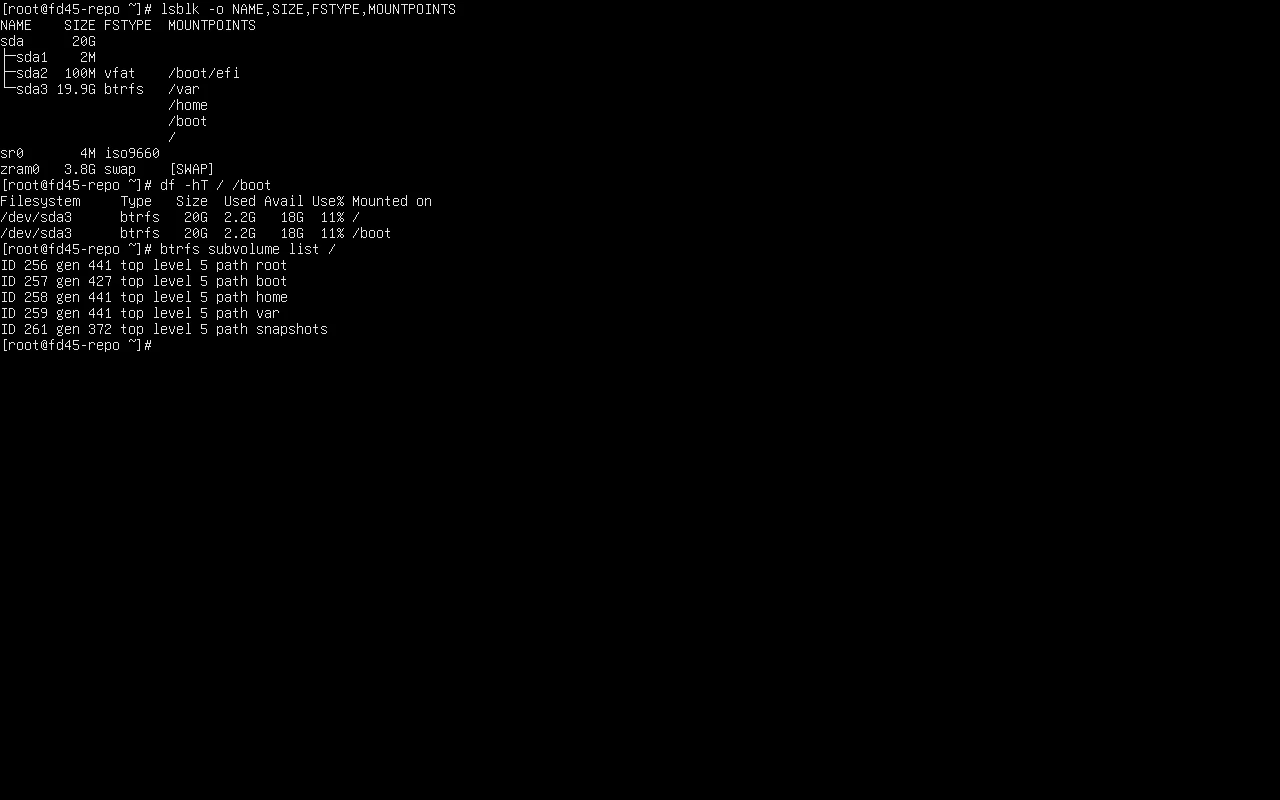
Capacity investigation order
Section titled “Capacity investigation order”df -h / # 1) filesystem leveldf -i / # 2) inodes (btrfs can exhaust them too)sudo btrfs filesystem usage / # 3) real usage and unallocated spacedu -xh --max-depth=1 / | sort -h | tail -10 # 4) who is using itsudo journalctl --disk-usage # 5) logssudo podman system df # 6) containers and imagesSpace not coming back after a delete is the most common confusion — a process still holds the deleted file:
sudo lsof +L1 | head -10Adding a disk
Section titled “Adding a disk”lsblk # confirm the new name (sdb)sudo mkfs.xfs /dev/sdb # or btrfs / ext4sudo mkdir -p /datasudo mount /dev/sdb /datasudo blkid /dev/sdb # get the UUIDUse the UUID in /etc/fstab, never /dev/sdb — device names change with plug order:
UUID=<new> /data xfs defaults 0 0Test before rebooting:
sudo mount -a # errors surface immediatelyfindmnt /dataRelated pages
Section titled “Related pages”- Backup and restore — where a btrfs snapshot belongs
- SELinux — wrong mount labels stop services reading files
- Error lookup —
No space left on device,Can't lookup blockdev,Possibly non-existent device? - Fedora cloud images and instances — virtual size versus disk size
- Cheat sheet — storage commands
- Official: Btrfs