
firewalld on Fedora: zones, runtime versus permanent configuration
Fedora’s firewall is firewalld, not “append rules to iptables”. It organises rules into zones and splits configuration into runtime and permanent layers — the relationship between those two layers is what this page is about.
First, is it installed
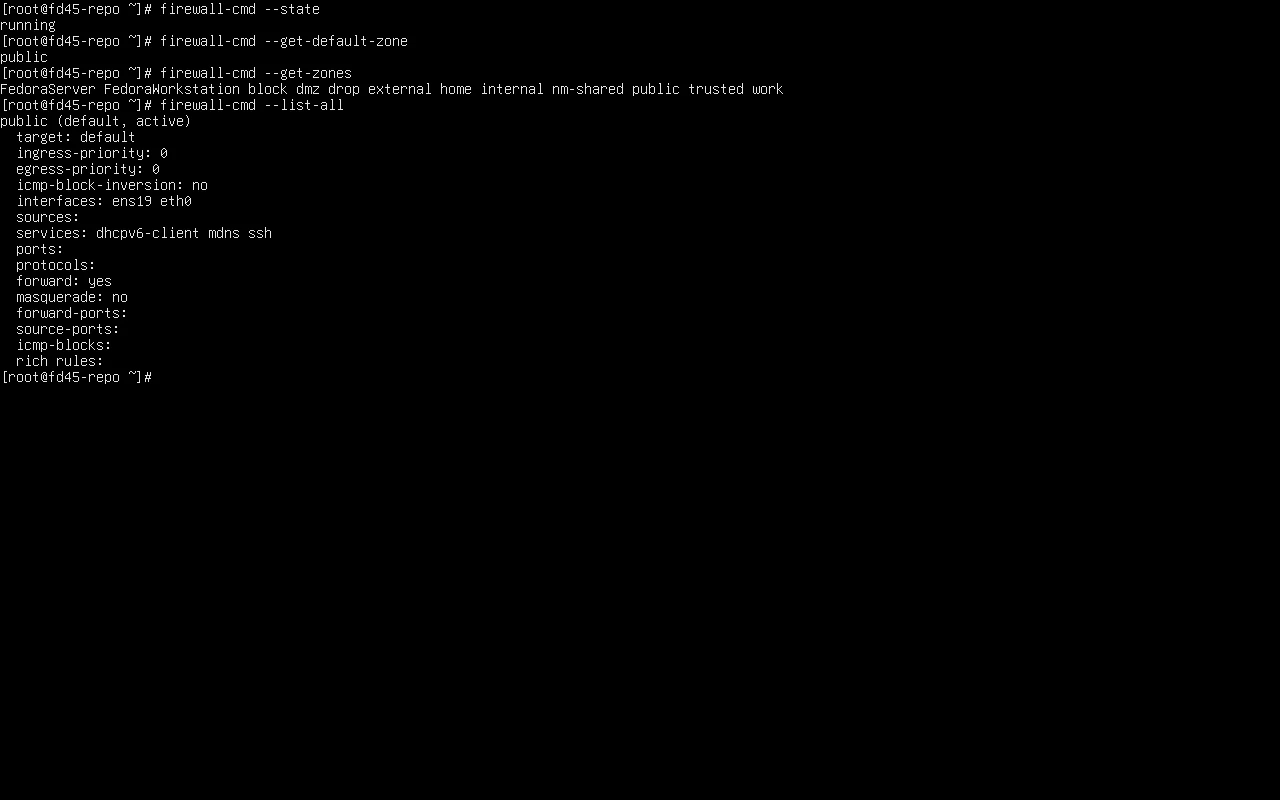
Section titled “First, is it installed”rpm -q firewalldsudo firewall-cmd --statefirewalld-2.5.1-1.fc45.noarchrunningThe default zone depends on how you installed
Section titled “The default zone depends on how you installed”sudo firewall-cmd --get-default-zonesudo firewall-cmd --get-zonespublic
FedoraServer FedoraWorkstation block dmz drop external home internal nm-shared public trusted workTwo measured machines give different default zones, and that is not a bug:
| Install method | Default zone | Allowed out of the box |
|---|---|---|
F43 Server (kickstart firewall --enabled) | FedoraServer | cockpit dhcpv6-client ssh |
| F45 Cloud | public | dhcpv6-client mdns ssh |
The installer writes a different zone file per variant. So a tutorial claiming the default is “FedoraServer” or “public” is right and wrong at the same time — it depends on the variant.
Both zones exist in the list (FedoraServer and FedoraWorkstation are Fedora-specific; the rest are generic firewalld zones).
See the effective rules:
sudo firewall-cmd --list-allpublic (default, active) target: default interfaces: ens19 eth0 services: dhcpv6-client mdns ssh ports: forward: yes masquerade: nointerfaces lists the NICs using this zone. The default zone applies to interfaces with no explicit assignment.
Allowing a service
Section titled “Allowing a service”firewalld ships 264 service definitions (measured on F45; 259 on F43); look before writing your own:
sudo firewall-cmd --get-services | wc -wsudo firewall-cmd --info-service=http | head -6Allow one:
sudo firewall-cmd --add-service=http # runtime onlysudo firewall-cmd --permanent --add-service=httpsudo firewall-cmd --reloadRuntime versus permanent: the layer people get wrong
Section titled “Runtime versus permanent: the layer people get wrong”| Action | Takes effect now | Survives reboot |
|---|---|---|
--add-service=… | yes | no |
--permanent --add-service=… | no | yes |
--permanent … + --reload | yes | yes |
--runtime-to-permanent | yes | yes |
One measured sequence makes it obvious:
sudo firewall-cmd --permanent --add-port=8080/tcpecho "runtime=[$(sudo firewall-cmd --list-ports)] perm=[$(sudo firewall-cmd --permanent --list-ports)]"successruntime=[] perm=[8080/tcp]A permanent rule without a reload leaves runtime empty — connections fail while --permanent --list-ports happily shows the port. That is a very easy misdiagnosis.
sudo firewall-cmd --reloadecho "runtime=[$(sudo firewall-cmd --list-ports)] perm=[$(sudo firewall-cmd --permanent --list-ports)]"successruntime=[8080/tcp] perm=[8080/tcp]Where the configuration lives
Section titled “Where the configuration lives”ls /etc/firewalld/zones/FedoraServer.xml FedoraWorkstation.xml public.xml trusted.xml …One XML per zone. --permanent edits these files; --reload makes firewalld re-read them.
sudo cat /etc/firewalld/zones/FedoraServer.xml | head -10<?xml version="1.0" encoding="utf-8"?><zone> <short>Public</short> <service name="ssh"/> <service name="dhcpv6-client"/> <service name="cockpit"/></zone>Common actions
Section titled “Common actions”# assign a NIC to a zonesudo firewall-cmd --permanent --zone=internal --add-interface=ens19sudo firewall-cmd --reload
# allow only one subnetsudo firewall-cmd --permanent --zone=internal --add-source=192.168.2.0/24sudo firewall-cmd --reload
# temporary (gone after reload or reboot)sudo firewall-cmd --add-service=httpssudo firewall-cmd --remove-service=https
# what ports are opensudo firewall-cmd --list-portsTroubleshooting order
Section titled “Troubleshooting order”sudo firewall-cmd --state # 1) is it runningsudo firewall-cmd --list-all # 2) what the default zone allowssudo firewall-cmd --get-active-zones # 3) which zone each NIC is insudo firewall-cmd --permanent --list-all # 4) permanent config (effective after reload)ss -tlnp # 5) is anything actually listeningStep 5 is the one usually skipped: a blocked port and a service that is not listening fail identically (connection refused or timeout). Confirm the port appears in ss -tlnp before blaming the firewall.
Related pages
Section titled “Related pages”- Networking on Fedora — addressing, routing and DNS
- SELinux — port types, the other gate when a service binds a non-standard port
- Using Fedora as a server — server baseline
- Error lookup —
command not foundand friends - Cheat sheet — firewall commands
- Official: firewalld