
Editors on Fedora 45: nano ships by default, vim does not
Start by measuring what Fedora 45 Workstation actually ships.
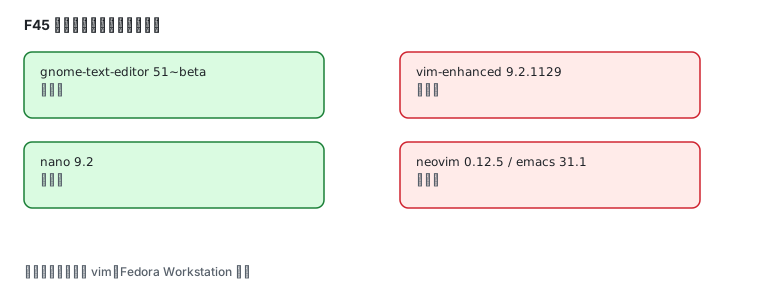
Preinstalled: nano and the GNOME text editor
Section titled “Preinstalled: nano and the GNOME text editor”rpm -q gnome-text-editor nano vim-enhanced emacs neovimgnome-text-editor-51~beta-1.fc45.x86_64nano-9.2-1.fc45.x86_64package vim-enhanced is not installedpackage emacs is not installedpackage neovim is not installedvim is not preinstalled. That surprises people, because server editions usually include it.
Repository versions
Section titled “Repository versions”dnf list --available vim-enhanced neovim emacs micro helix| Editor | Package | Version | Character |
|---|---|---|---|
| Vim | vim-enhanced | 9.2.1129 | classic modal editor, maximum portability |
| Neovim | neovim | 0.12.5 | modern fork, livelier plugin ecosystem |
| GNU Emacs | emacs | 31.1 | programmable editor with its own ecosystem |
| micro | micro | 2.0.15 | works immediately, conventional keybindings |
| Helix | helix | 25.07.1 | modern modal editor with built-in LSP |
| GNOME Text Editor | gnome-text-editor | 51~beta | light graphical editor |
Neovim, measured after install:
sudo dnf install neovimnvim --versionNVIM v0.12.5Build type: RelWithDebInfoHow to choose
Section titled “How to choose”| Your situation | Pick |
|---|---|
| editing config files occasionally | nano (installed) or gnome-text-editor (installed) |
| servers and scripts, consistency everywhere | vim-enhanced |
| modern plugins and LSP | neovim |
| LSP and completion out of the box | helix |
| the Emacs ecosystem | emacs |
| no interest in modal editing | micro |
Minimal vim configuration
Section titled “Minimal vim configuration”After installing vim-enhanced, ~/.vimrc:
set numberset relativenumberset tabstop=4 shiftwidth=4 expandtabset ignorecase smartcaseset incsearch hlsearchset nowrapsyntax onexpandtab converts tabs to spaces, which matters for YAML and Python; smartcase ignores case for all-lowercase searches and matches exactly when a capital appears.
Minimal neovim configuration
Section titled “Minimal neovim configuration”Neovim reads ~/.config/nvim/init.lua (or init.vim). A dependency-free start:
vim.opt.number = truevim.opt.relativenumber = truevim.opt.tabstop = 4vim.opt.shiftwidth = 4vim.opt.expandtab = truevim.opt.ignorecase = truevim.opt.smartcase = truevim.opt.termguicolors = trueBuilt-ins cover a lot already: :Tutor is an interactive tutorial and :checkhealth diagnoses environment problems.
Graphical editor
Section titled “Graphical editor”gnome-text-editor is the default and can be launched from a shell:
gnome-text-editor path/to/fileIt has no plugin system — good for config files and short documents. For project work, reach for a code editor or one of the terminal editors above.
Common traps
Section titled “Common traps”| Symptom | Cause |
|---|---|
vim: command not found | not preinstalled on F45; dnf install vim-enhanced |
| Chinese shows as boxes in vim | terminal font lacks CJK glyphs |
| indentation turns into tabs | expandtab not set |
| neovim plugin errors | the plugin needs a newer nvim; dnf upgrade neovim |
| no Chinese input in the graphical editor | input method not configured, see Chinese input |
Related pages
Section titled “Related pages”- Terminals and shells — Ptyxis, bash, tmux
- Chinese input — typing Chinese inside editors
- Official: Vim docs · Neovim docs