
systemd 实操:写一个 service、一个 timer,以及失败怎么查
Fedora 上「让服务开机自启」不是往 /etc/rc.local 里加一行,而是写一个 unit。定时任务也一样——systemd timer 正在取代 cron(F45 最小化镜像干脆不带 crontab)。
下面是 F45 上的实测。
版本与默认 target
Section titled “版本与默认 target”systemctl --version | head -2systemctl get-defaultsystemd 261 (261.2-1.fc45)+PAM +AUDIT +SELINUX -APPARMOR +IMA +IPE +SMACK +SECCOMP ...
multi-user.target命令行版 Fedora 默认是 multi-user.target(无图形界面);桌面版是 graphical.target。
看看系统里有多少单元:
systemctl list-unit-files --type=service --no-pager | tail -1systemctl list-unit-files --type=timer --no-pager | tail -1278 unit files listed.12 unit files listed.unit 文件该放哪
Section titled “unit 文件该放哪”| 位置 | 谁写的 | 优先级 | 升级会不会覆盖 |
|---|---|---|---|
/usr/lib/systemd/system/ | 包管理器 | 最低 | 会 |
/run/systemd/system/ | 运行时生成 | 中 | 重启即失 |
/etc/systemd/system/ | 你 | 最高 | 不会 |
自己写的放 /etc/systemd/system/。别改 /usr/lib 下的文件——升级会覆盖,而且排查时看不出被谁改过。
写一个 service
Section titled “写一个 service”sudo tee /etc/systemd/system/lab-hello.service >/dev/null <<'EOF'[Unit]Description=Lab hello serviceAfter=network-online.target
[Service]Type=oneshotExecStart=/bin/sh -c 'date >> /var/log/lab-hello.log; echo hello >> /var/log/lab-hello.log'RemainAfterExit=yes
[Install]WantedBy=multi-user.targetEOFsudo systemctl daemon-reloadsudo systemctl start lab-hello.servicesystemctl status lab-hello.service --no-pager | head -6● lab-hello.service - Lab hello service Loaded: loaded (/etc/systemd/system/lab-hello.service; disabled; preset: disabled) Drop-In: /usr/lib/systemd/system/service.d └─10-timeout-abort.conf Active: active (exited) since Tue 2026-10-27 17:41:46 UTC; 9ms ago Invocation: 45ec53c7e0f24c72883a6d099d034a05三处细节值得注意:
disabled:文件写好了但没enable,重启不会自动跑;active (exited):oneshot+RemainAfterExit=yes的典型状态——脚本跑完了,但服务”仍算活跃”;Drop-In那两行不是你的:是发行版加的公共超时策略。
Type 怎么选
Section titled “Type 怎么选”| Type | 什么时候算”起来了” | 适合 |
|---|---|---|
simple(默认) | 进程一启动就算 | 常驻前台进程 |
oneshot | 进程跑完才算 | 一次性脚本、初始化 |
forking | 父进程退出才算 | 老式守护进程(自己 daemonize) |
notify | 程序调用 sd_notify 才算 | 需要”真正就绪”再判活 |
写一个 timer(替代 cron)
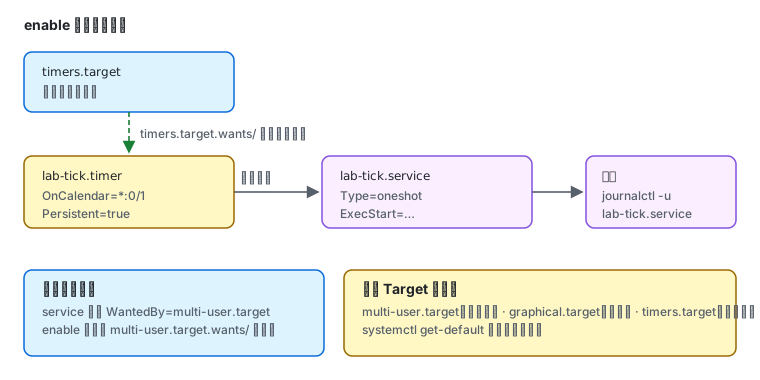
Section titled “写一个 timer(替代 cron)”timer 需要一对文件:一个 .service 干活,一个 .timer 定时。
sudo tee /etc/systemd/system/lab-tick.service >/dev/null <<'EOF'[Unit]Description=Lab tick[Service]Type=oneshotExecStart=/bin/sh -c 'echo tick $(date +%s) >> /var/log/lab-tick.log'EOF
sudo tee /etc/systemd/system/lab-tick.timer >/dev/null <<'EOF'[Unit]Description=Lab tick every minute[Timer]OnCalendar=*:0/1Persistent=true[Install]WantedBy=timers.targetEOF
sudo systemctl daemon-reloadsudo systemctl enable --now lab-tick.timer
Created symlink '/etc/systemd/system/timers.target.wants/lab-tick.timer' → '/etc/systemd/system/lab-tick.timer'.enable --now 建的是 timers.target.wants/ 下的符号链接——这就是”开机自启”的实现方式,不是写进某个配置文件。
看下一次什么时候跑:
systemctl list-timers lab-tick.timer --no-pagerNEXT LEFT LAST PASSED UNIT ACTIVATESTue 2026-10-27 17:43:00 UTC 29s - - lab-tick.timer lab-tick.serviceACTIVATES 那一列就是它要拉起的 service。
Persistent=true 的含义:关机期间错过的执行,开机后补跑一次。cron 的 @reboot 做不到这一点。
OnCalendar 的写法
Section titled “OnCalendar 的写法”| 写法 | 含义 |
|---|---|
*:0/1 | 每分钟 |
hourly / daily / weekly | 固定周期 |
Mon..Fri 02:00 | 工作日凌晨 2 点 |
*-*-* 03:30:00 | 每天 3:30 |
OnUnitActiveSec=5min | 距上次运行 5 分钟(相对) |
验证表达式对不对,不用等它跑:
systemd-analyze calendar "*:0/1"失败了怎么查
Section titled “失败了怎么查”故意让一个服务失败:
● lab-fail.service - Lab failing service Loaded: loaded (/etc/systemd/system/lab-fail.service; static) Active: failed (Result: exit-code) since Tue 2026-10-27 17:43:03 UTC Process: 24880 ExecStart=/bin/false (code=exited, status=1/FAILURE) Main PID: 24880 (code=exited, status=1/FAILURE) Mem peak: 1.2MProcess: 那两行是排查的起点——它给出了退出码,而不是笼统的”启动失败”。
排查顺序:
systemctl list-units --failed # 1) 这次启动有哪些失败systemctl status <unit> --no-pager # 2) 退出码与退出原因journalctl -u <unit> -n 50 --no-pager # 3) 具体日志journalctl -xeu <unit> # 4) 带解释的日志(-x 加说明) UNIT LOAD ACTIVE SUB DESCRIPTION● dnf-makecache.service loaded failed failed dnf5 makecache● lab-fail.service loaded failed failed Lab failing service改别人的 unit:用 drop-in
Section titled “改别人的 unit:用 drop-in”不要直接编辑 /usr/lib 下的文件。用:
sudo systemctl edit <unit> # 生成 /etc/systemd/system/<unit>.d/override.confsudo systemctl daemon-reloadedit 打开的是空文件,你只写要覆盖/追加的部分:
[Service]Environment=HTTP_PROXY=http://proxy.internal:3128TimeoutStartSec=180这样升级时发行版的改动不会丢,你的覆盖也不会被冲掉。
启动慢?量化它
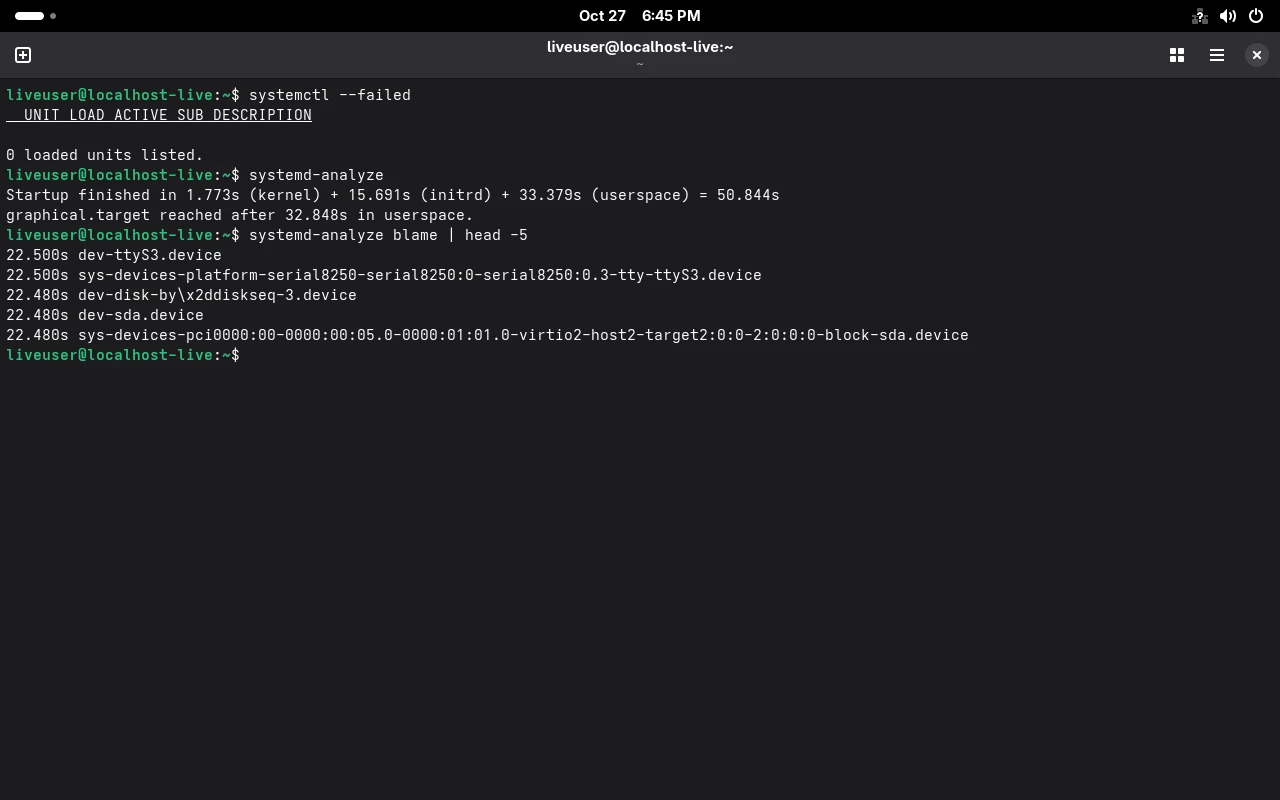
Section titled “启动慢?量化它”systemd-analyzeStartup finished in 1.502s (kernel) + 2.497s (initrd) + 7.888s (userspace) = 11.888s三段分别对应:内核、initrd、用户态。用户态占大头就该看 blame:
systemd-analyze blame | head -311.713s unbound-anchor.service 3.798s sys-module-fuse.device 3.763s dev-vport1p1.deviceunbound-anchor.service 排第一,正是这台机器DNS 解析一直失败的那个服务——它卡在等上游根密钥更新。这种”开机慢”和”网络怪”其实是同一个根因。
| 目的 | 命令 |
|---|---|
| 看状态 | systemctl status <unit> --no-pager |
| 启动 / 停止 | systemctl start / stop |
| 开机自启 | systemctl enable --now <unit> |
| 取消自启 | systemctl disable --now <unit> |
| 彻底屏蔽 | systemctl mask <unit> |
| 列出失败 | systemctl list-units --failed |
| 看单元原文 | systemctl cat <unit> |
| 看最终生效值 | systemctl show <unit> -p <属性> |
| 重载配置 | systemctl daemon-reload |
| 定时器 | systemctl list-timers --all |
- 备份与恢复 — 用 timer 定时备份
- 防火墙 firewalld — 服务监听端口后的放行
- SELinux — 服务被拒绝的另一层原因
- 存储与文件系统 — 日志与数据目录的空间
- 报错速查 —
Unit could not be found、is masked、Access denied - 命令速查 — 全部 systemd 命令
- 官方:systemd.service、systemd.timer