
在 Fedora 上安装 Rust:1.98 与 crates 国内镜像
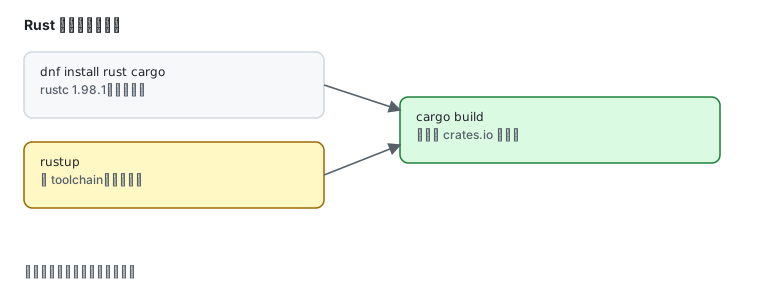
sudo dnf install cargo rustrustc --versioncargo --versionrustc 1.98.1 (48a229cea 2026-09-01) (Fedora 1.98.1-1.fc45)cargo 1.98.1 (797e8a9bc 2026-08-05) (Fedora 1.98.1-1.fc45)装 cargo 会把 rustc 一起带上,但显式装 rust 更清楚。二进制都在 /usr/bin。
跑第一个项目
Section titled “跑第一个项目”cargo new hellocd hellocargo runcargo new 会生成 Cargo.toml 与 src/main.rs,cargo run 直接编译并执行。
cargo build --release./target/release/hellocrates.io 换国内源
Section titled “crates.io 换国内源”cargo 拉依赖默认走 index.crates.io,国内经常慢。改配置:
mkdir -p ~/.cargocat > ~/.cargo/config.toml <<'EOF'[source.crates-io]replace-with = 'tuna'
[source.tuna]registry = "sparse+https://mirrors.tuna.tsinghua.edu.cn/crates.io-index/"EOF
sparse+ 前缀很重要——它走 HTTP 索引而不是 git 克隆,速度快一个量级。
验证:
cd ~/hellocargo add serdecargo build仓库版 vs rustup
Section titled “仓库版 vs rustup”这是 Rust 最需要说清的一条:
| 你要什么 | 用哪个 |
|---|---|
| 编译现成项目、CI | dnf install cargo rust,跟 Fedora 升级 |
| 固定某个版本 | rustup |
| nightly / beta 工具链 | rustup(仓库版只有 stable) |
交叉编译、rustup target add | rustup |
| 完全隔离 | 容器 rust:1.98 |
仓库版没有 rustup,也就没有 toolchain 切换、没有 rustup component add rustfmt/clippy(这两个在 Fedora 里是独立包)。
需要 rustup:
curl --proto '=https' --tlsv1.2 -sSf https://sh.rustup.rs | shsource ~/.cargo/envrustup toolchain install nightlyrustup default nightly国内加速 rustup 下载:
export RUSTUP_DIST_SERVER=https://mirrors.tuna.tsinghua.edu.cn/rustupexport RUSTUP_UPDATE_ROOT=https://mirrors.tuna.tsinghua.edu.cn/rustup/rustupFedora 版的常用附加组件装法:
sudo dnf install rustfmt clippy| 现象 | 原因 |
|---|---|
| 拉 crate 很慢或失败 | 没配 crates 镜像,或用了 git 索引而非 sparse+ |
cargo: command not found | 只装了 rust(只有 rustc),补装 cargo |
| rustup 装的版本不生效 | /usr/bin/cargo 优先,which -a cargo 看顺序 |
找不到 rustfmt | 仓库版来源是独立包 rustfmt,不是 rustup component |
| 编译内存不够 | 链接阶段吃内存,用 -j1 或加 swap |
- 国内加速源 — crates 与 rustup 镜像
- 安装 Go — 同为编译型工具链
- 容器与 rootless — 固定版本与环境隔离
- 工具链与多版本共存 — 总体策略
- 官方:Rust